Ethical AI & "Benevolent Friction": Rethinking Alternative Text in WordPress

Making accessibility easier and more effective, not just automated

October 1, 2026

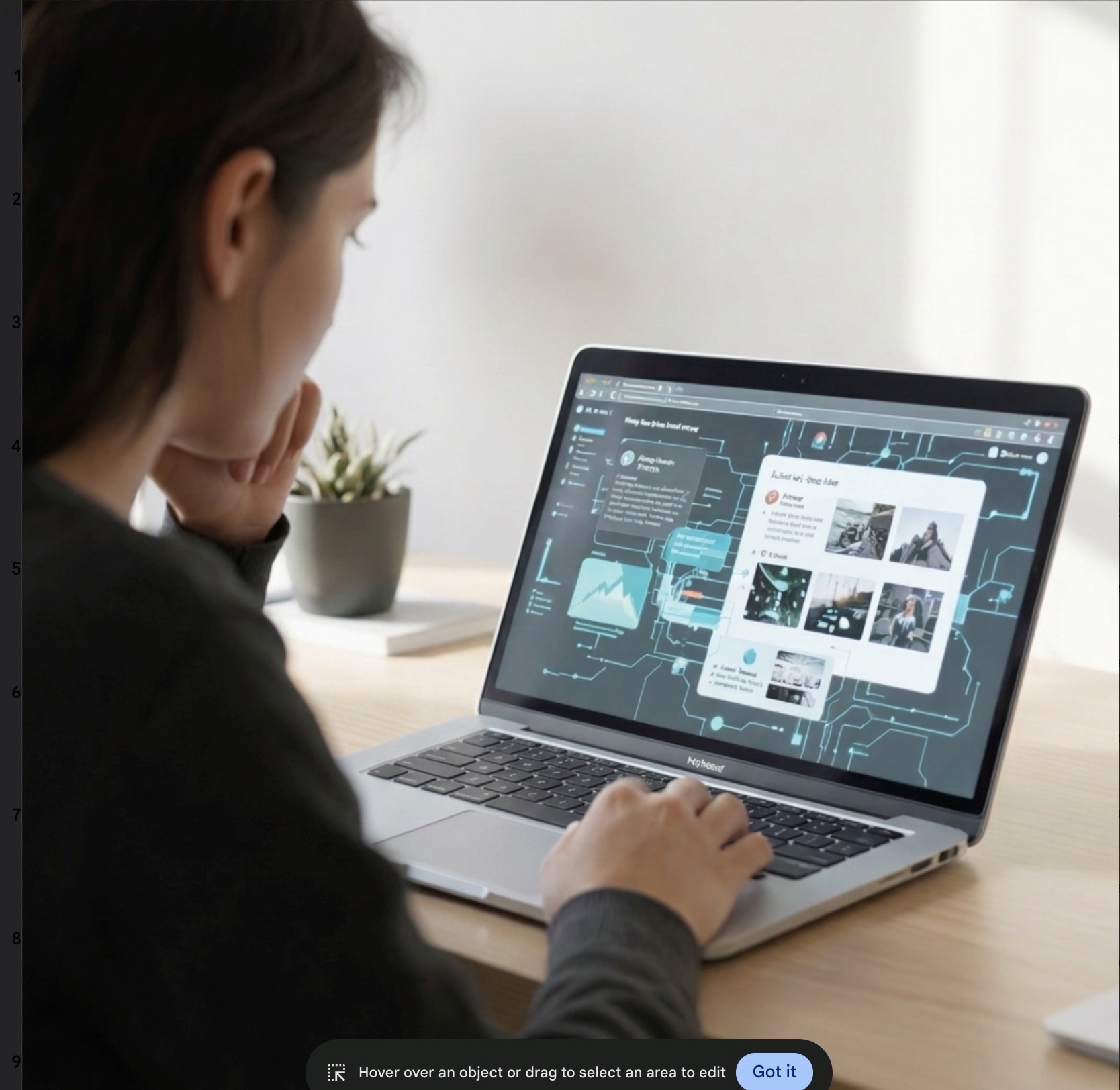
Someone sits looking at the images on a laptop and thinks, one hand under chin, and other hovering over the keyboard
1

Towards a more equitable alt experience

Philosophy

It is better to overdo alt text than underdo it, ensuring an equivalent experience for all users.

VS

Decorative Images
Subject-only Alt

Minimal alt text risks excluding users by withholding vital information, whereas detailed descriptions empower greater accessibility and inclusion.

2

Beyond Minimal Alt Text: Pros and Cons

Benefits of Detailed Alt Text

  • Provides richer context, enhancing understanding for screen reader users.
  • Supports inclusion by conveying more nuanced information.
  • Reduces ambiguity, ensuring users receive precise information about images.
  • Improves SEO by offering descriptive content that search engines can index.

Challenges of Detailed Alt Text

  • Exceeding 125 characters can slow down screen reader navigation.
  • Too much detail may overwhelm or frustrate some users.
  • May cause cognitive overload if not structured or prioritized effectively.
  • Long descriptions can be cumbersome to write and maintain
3

Overcoming the Cons: Screen Reader Capabilities

Ability

Screen reader users can skip once they have the gist.

Gotcha

Only works if alt text is written well and front-loaded with key information.

4

Enhancing User Control with Skippable Verbose Alt Text

User Empowerment through Skippable Alt Text

  • Screen readers allow users to skip long alt text, giving control over how much detail they consume.
  • Providing essential information up front in alt text ensures that it’s available for all even if some skip the remaining text.
  • This approach respects diverse user preferences and cognitive load management strategies.
  • Clear structuring and front-loading key information enhance usability and make skipping more effective.
Detailed outline demonstrating how skippable verbose alt text empowers users
5

Front-Loading Alt Text: Pros and Cons

Advantages of Front-Loaded Alt Text

  • Allows users to identify the image subject immediately and decide whether to continue listening or skip.
  • Improves screen reader efficiency by reducing cognitive load and navigation time.
  • Helps prevent confusion about how the image relates to surrounding content.
  • Supports better user experience for both visually impaired and sighted users using screen readers.
  • Encourages concise and clear descriptions that focus on essential information first.

Challenges with Front Loaded Alt Text

  • Screen reader visitors may still skip before the subject is fully announced
  • Requires careful wording to balance clarity without sacrificing necessary detail
  • Increases your cognitive load as an alt text composer
  • Harder = less likely to get done!
6

Overcoming the Cons: Ethical AI can help

7

Ethical AI, defined:

Humans using AI not to cede their responsibilities over to it, but to enhance their abilities to complete them in the best possible way.

One of AI’s greatest temptations for its users is for them to think that AI can take care of things without them, ie “Agentic AI”.

In the end, though, humans are the ultimately responsible parties, and they can’t abdicate the ultimate responsibility to the AI.

Ethical AI is only using AI in a context where this is fully understood.

8

AI for Alt Text: A bit of a mixed bag

Pros of AI generating Alt Text

  • Automates generation of detailed alt text quickly.
  • Risk of over-reliance reducing human oversight.

Cons of AI generating Alt Text

  • AI-generated alt text may sometimes miss contextual subtleties important to users.
  • Risk of over-reliance on AI could reduce human oversight and editorial judgment.
  • AI alt text generation ability is only as good as its training data (which is pretty poor)
  • Exhibit A for a laugh: Pleated Jeans Blog From a Year Ago, "Funny Times AI Failed at Describing Weird Images
9

The wrong way to use AI for alt text: automatic generators

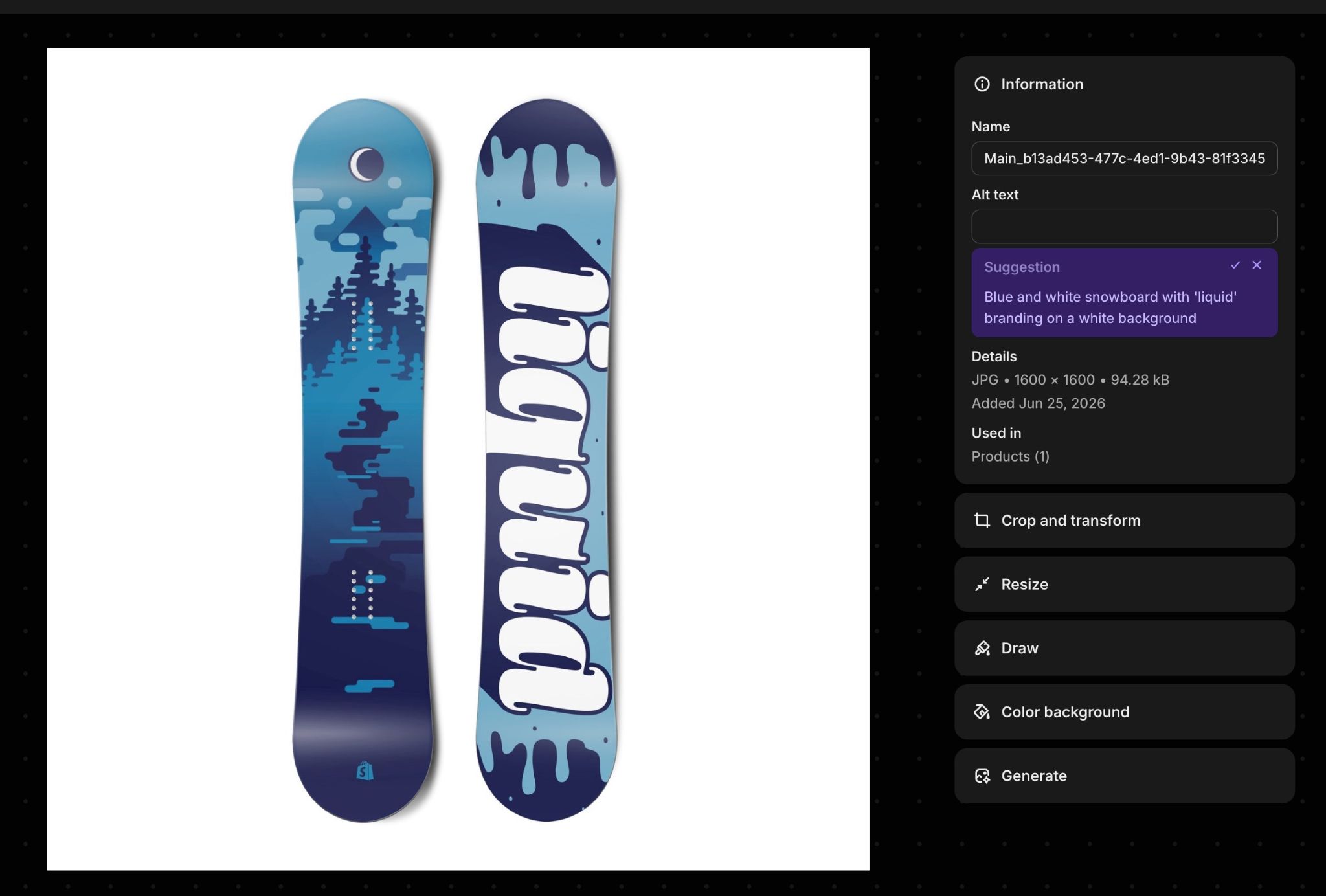
Shopify "Magic" Alt Text Issues

  • The AI doesn’t know which aspects of the image to include
  • The AI gives a single option
  • The AI doesn’t follow length recommendations
  • The AI doesn’t prioritize the most salient feature of the image (front loading) because it can’t know what it is
  • The AI usually has no context
Shopify AI-generated suggestion screen for product image.
10

Challenges to Effective AI Alt

(and how AI in a WordPress plugin can overcome them)

Challenge Solution
Poor training data
Not prioritized/ front loaded
No context
Overreliance on AI
11

Challenge: Poor Training Data

The core limitation of historical AI alt text

AI alt text generation ability has historically only been as good as its training data (which was pretty poor). There’s a ton of lazy, sloppy, misguided alt out there (filenames, SEO keywords, unnecessary words, etc), meaning AI often replicates these exact mistakes when generating new descriptions.

12

Solution: Keep it Honest

Continually feed instructions to the AI

A plugin can feed consistent instructions to the AI on how to avoid the pitfalls the training data may contain. By establishing structured boundaries, we ensure the generative process remains accurate, preventing the replication of lazy, sloppy, or misguided alt text patterns commonly found in historical datasets.

13

“Hey Polly!” The inception of a human-in-the-loop Alt-text WordPress Plugin

Start with the model’s instructions

“Alt text should describe what sighted visitors see in the image. Aim for around 125 characters. Avoid starting with ‘image of’ or ‘photo of’.”

Clear instructions center the AI model on the task at hand:

  • to get what we’re looking for
  • to avoid what we’re not
    • keyword stuffing
    • “image of”...
14

Problem: Generation in a Vacuum

AI-generated alt text misses crucial context

AI-generated alt text may sometimes miss contextual subtleties important to users. Usually, the AI doesn’t have access to the surrounding page context, meaning it is forced to generate alternative descriptions entirely in a vacuum. Without reference to the surrounding paragraphs, template structures, or intent, even high-quality visual outputs fail to produce useful digital accessibility.

15

Solution with Ethical AI: Context is King

Give AI the context of the images

Easy to pull paragraph context from Gutenberg or Elementor when about to insert images, and for after-the-fact, it's possible to search the database to find where the image is used and its context.

16

Giving Polly Context

At the point of insertion (Gutenberg, Elementor, Classic Editor) it’s easy for Polly to grab the context of the surrounding paragraphs and feed that along with the image and instructions to the model:

“At least the first variation should connect what's visible in the image and what the surrounding text is about.”
“If the image relates to the surrounding text, that connection belongs ONLY in the 'explanation' field.”
17

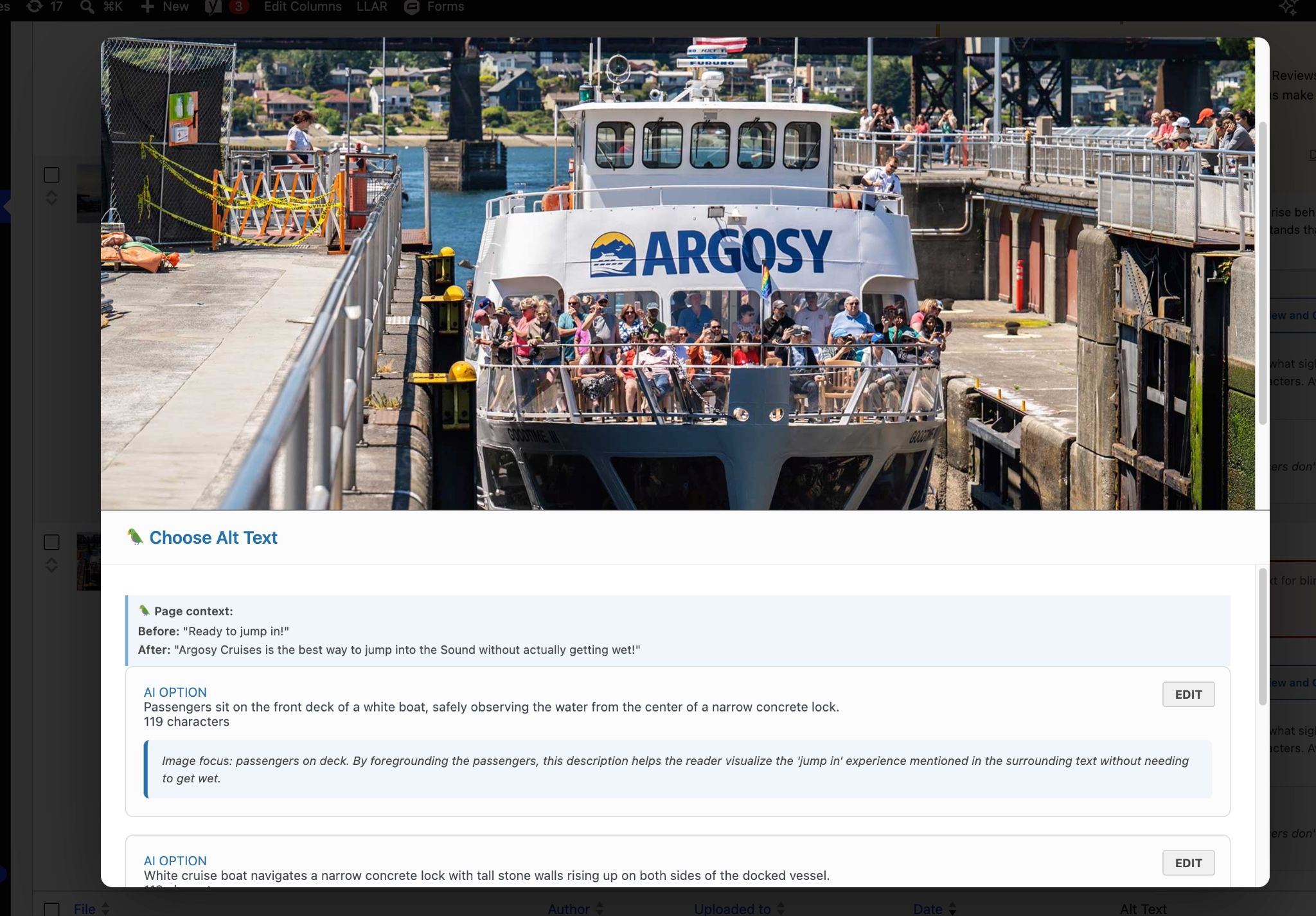
Page content fed to AI and human editor

The AI highlights the specific focus of the option and its relationship to surrounding text so the human can evaluate appropriateness.

Polly Alt modal showing page content from before and after the image, along with several AI-generated options that include connections
18

Challenge: Every Usage Is Different

A challenge with alt text in WordPress generally is that the alt attribute of an image is singular whereas an image may be used in a variety of posts or pages, with a variety of different contexts, so should really have a variety of different alts. Most AI alt generators are unaware of context, so wouldn’t provide more than one alt, even if WordPress would allow them to.

19

Solution: Plugin propagates Page-Specific Alt

Give AI the context of images from various pages, then have plugin rewrite default tags to replace global alt attributes with specific ones.

20

Giving Polly Context (Code Implementation)

Polly writes the page-specific alt the user chooses directly into the page by rewriting the default alt:

$img_tag = $img_match[0];  
$new_tag = preg_match( '/\salt="[^"]*"/', $img_tag )  
     ? preg_replace( '/\salt="[^"]*"/', ' alt="' . esc_attr( $alt_text ) . '"', $img_tag, 1 )  
     : preg_replace( '/<img/', '<img alt="' . esc_attr( $alt_text ) . '"', $img_tag, 1 );
21

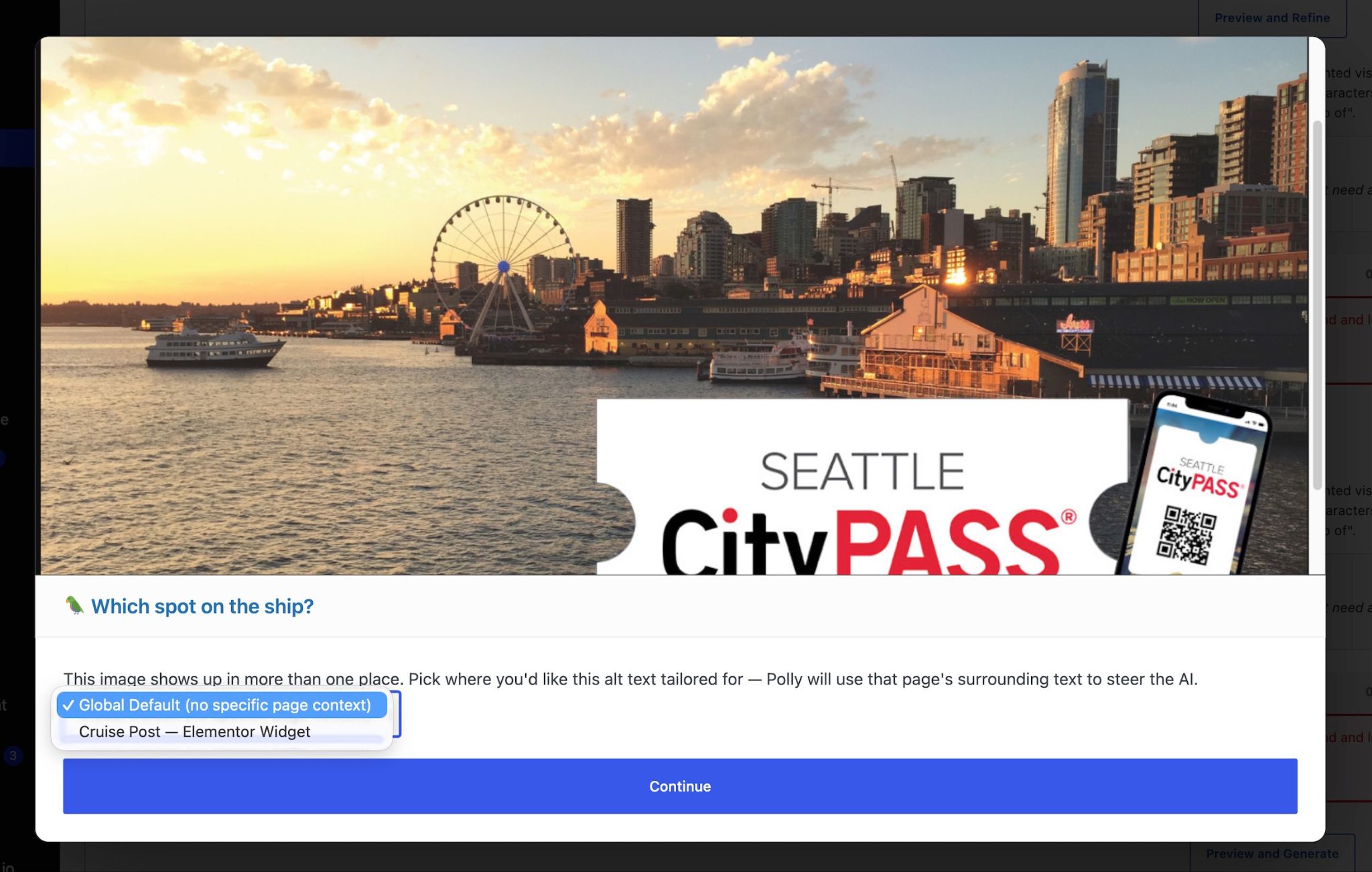
Managing Multiple Image Instances

For images used on multiple pages, choose which specific instance or global setting you want to add alt text to.

Selector interface allows users to choose between specific page instances or global alt settings
22

Challenge: Links Need Special Treatment

Image-links need a special type of alt indicating where the images lead to rather than just visual appearance.

23

Solution: Instance Detection

If a plugin can edit alt per instance, and detect its context, it can easily suggest and set a different appropriate alt for an image-link, writing it into the markup of the page directly.

24

Links at Point of Insertion

At the point of insertion, notifications inform editors when a different kind of alt text is needed for links, and gives them choices to meet that need.

Point of insertion notification prompt for link-specific alt text requirements: Bold text identifying 'Link destination', with short suggestions optimized for that
25

Links from the Media Library

From the Media Library, after selecting the instance, instructions indicate what kind of link alt text is required.

Media library interface showing guidance for handling image link alt text
26

Solutions to the Effective AI Alt

(and how AI in a WordPress plugin facilitates them)

27

Challenge: Over-Reliance on AI

Over-reliance can lead to decreased quality

  • Reduce human oversight and editorial judgment.
  • Miss important nuances
  • Diminish accessibility quality and user experience.
28

Solution: Benevolent Friction

Prioritize doing the right thing over easy automation

Just have to make doing the right thing (providing the oversight in the creation of alt text) easier than avoiding doing it. This is actually pretty easy at the point of insertion.

29

Polly’s Squawk

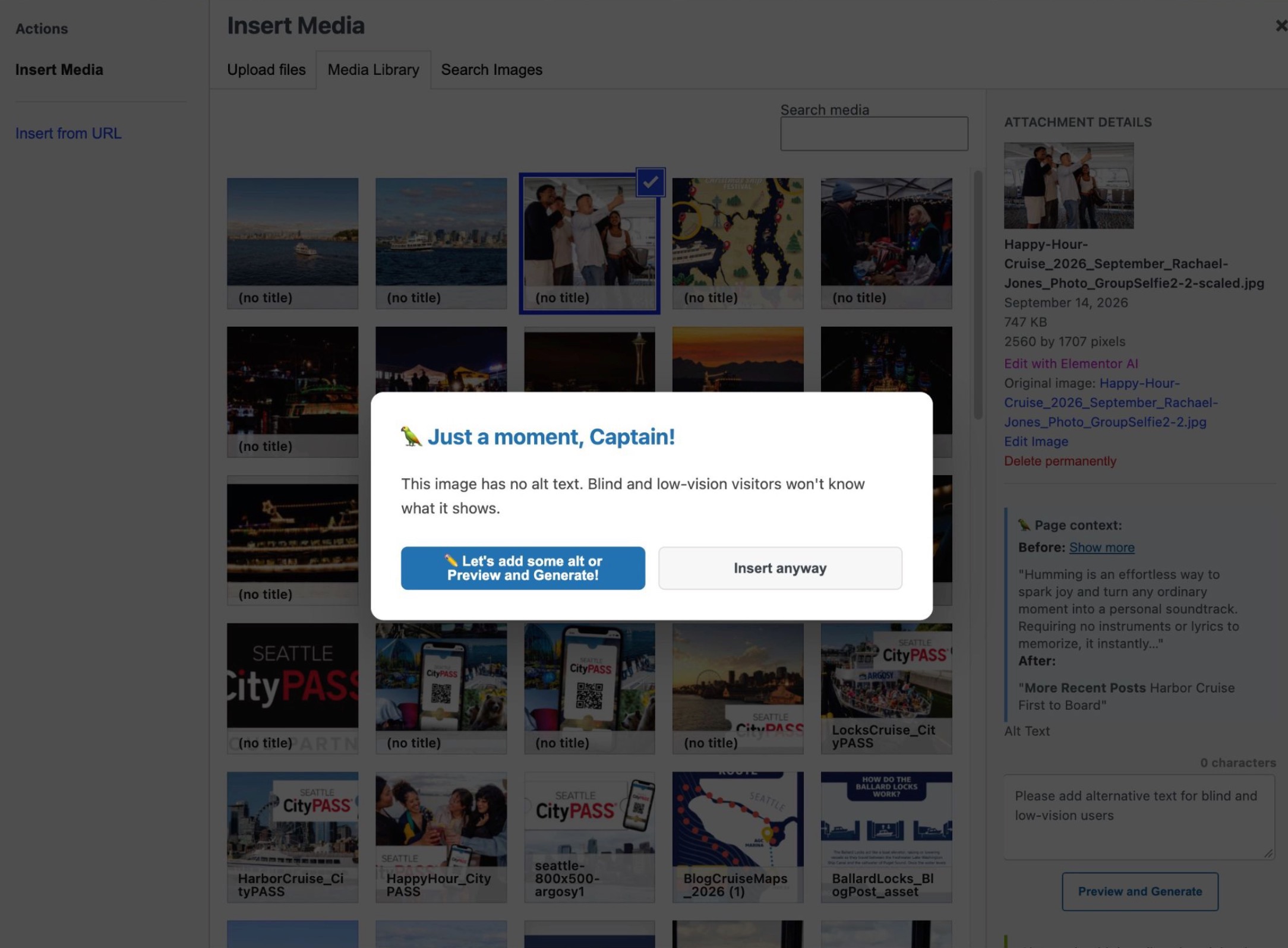
In Classic Editor, Elementor, or Gutenberg, inserting an image without alt text triggers a modal alert:

const modal = document.createElement('div');  
modal.id = 'polly-enforcement-modal';  
modal.className = 'polly-modal-alert';  
modal.innerHTML = `<h3 id="polly-alert-heading">🦜 Just a moment, Captain!</h3>`;
30

Benevolent Friction: Forcing a Choice

You, the human, can choose to do the wrong thing, but not without thinking about it, and Polly’s there to help you do the right thing

On the Insert Media screen, a Polly message pops up informing about missing alt with otions to ad some or insert anyhow.
31

Other Squawks

Polly squawks at various key moments:

  • When you try to insert, without alt
  • When you save a post with an image without alt
  • When you navigate away from a post with altless images
  • When you leave the media library with altless images
32

Polly’s Power of Annoyance

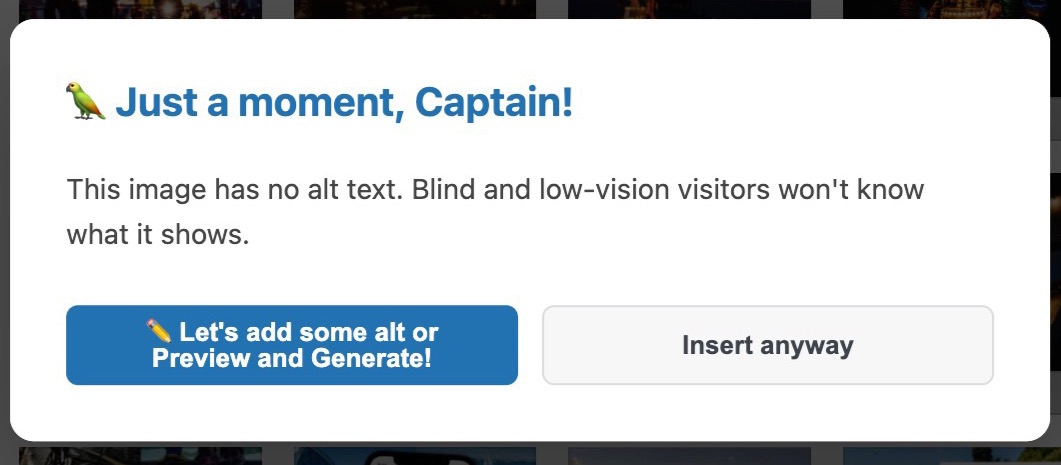
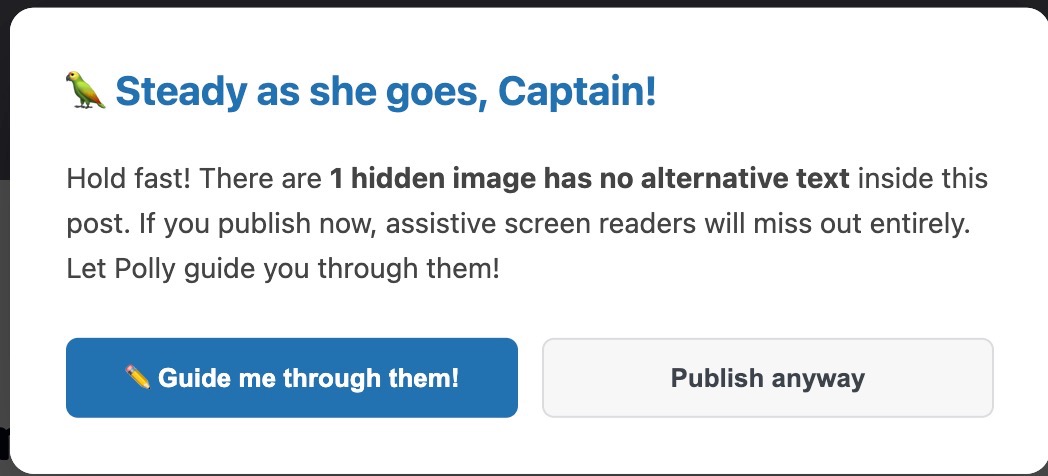
If you choose to not add alt, Polly squawks and squawks and squawks! Eventually, it’s just easier to add it…

Polly with a message: 'Just a moment Captain...' Polly with a message: 'Stady as she goes, Captain...' Polly with a message: 'Blargh!'
33

Polly forces oversight without even trying

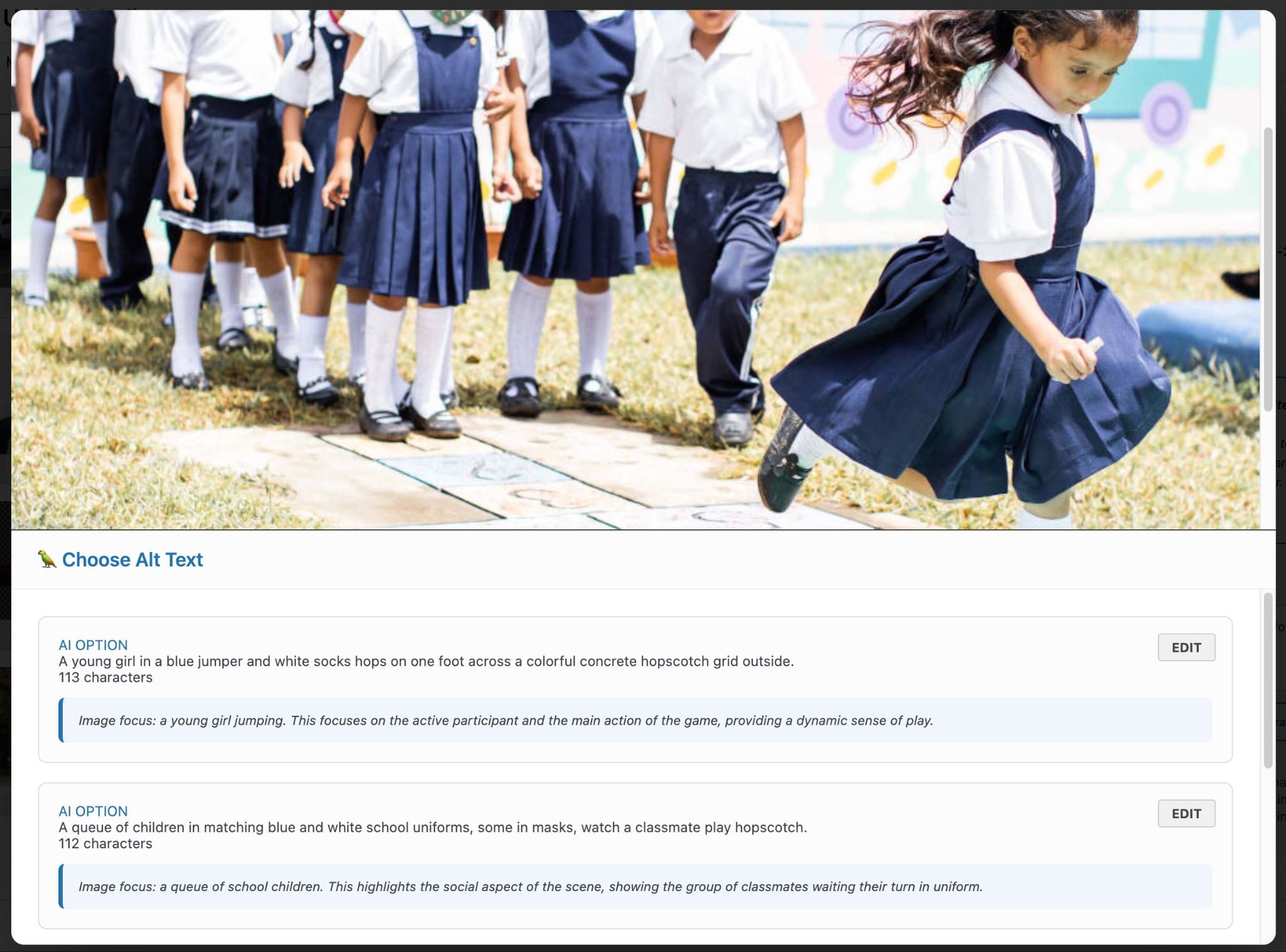
Polly gives 3+ choices of alt, essentially requiring human oversight. Choices each have a different focus

“Generate exactly ${config.choiceCount} distinct alt text variations following these rules: 
            Write in plain language, present tense, active voice, include only what is visible — no interpretation or assumptions Each variation must foreground a DIFFERENT visible subject or element from the image as its opening focus. The thing named first in the alt text should differ across all variations.” 
Modal interface displaying multiple AI-generated alternative text options
34

Benevolent Friction: Forcing a Choice

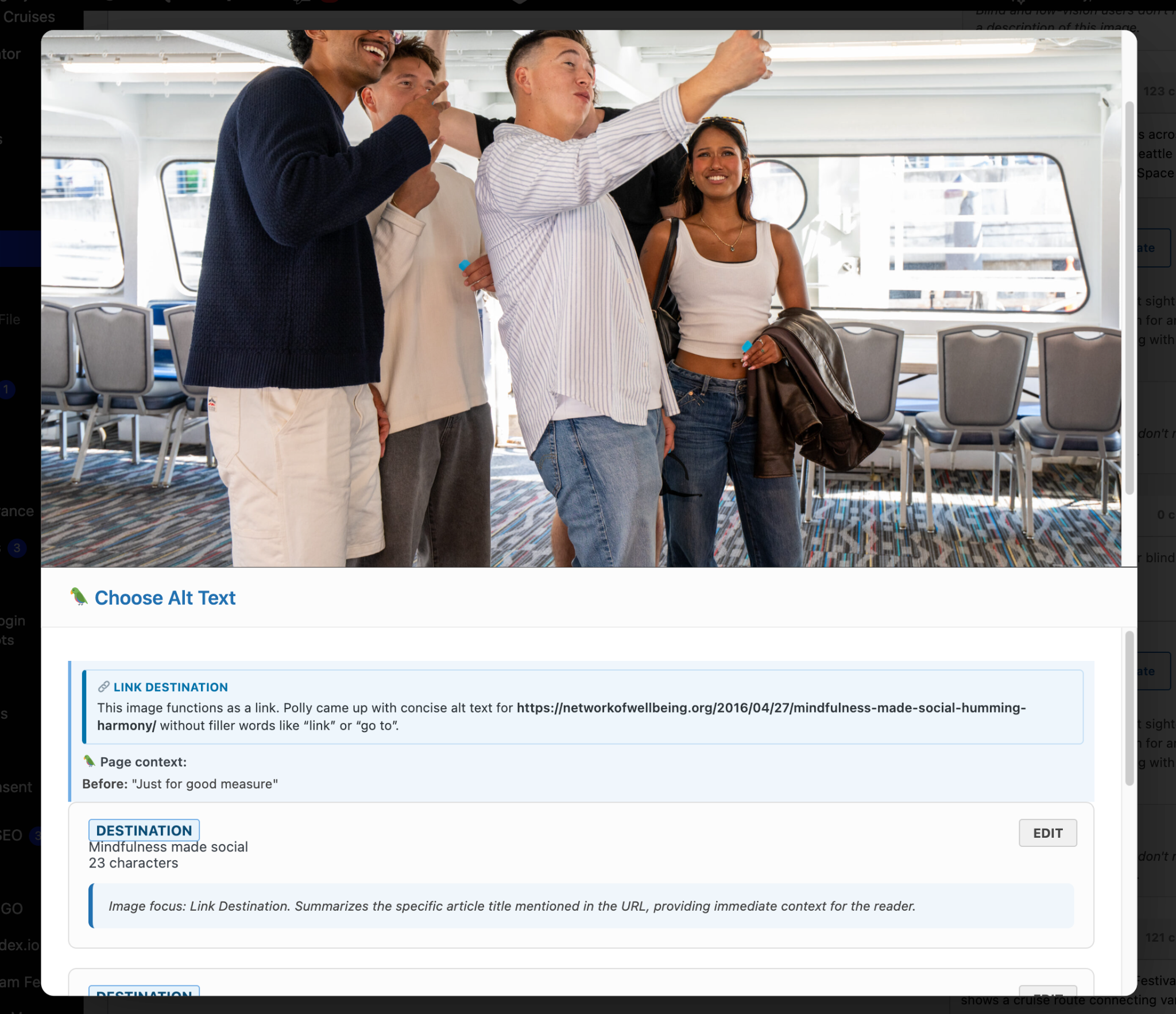
Modal presents a zoomed-in image that you can scroll to see everything without having to deal with bidirectional scrolling.

The AI gives 3 or more options so you, the human, exercise your human judgment to pick the one that fits, or you can edit one

Top of the modal has a zoomed-in version of image while bottom has three or more choices with their context and the AI's assessment of the alt option.
35

Overcoming the challenges of AI generation in a Wordpress Plugin

Challenge:

AI alt text generation ability has historically only been as good as its training data (which was pretty poor)

There’s a ton of lazy, sloppy, misguided alt out there (filenames, SEO keywords, unnecessary words, etc)

Solution:

Continually feed instructions to the AI to keep it honest

A plugin can feed consistent instructions to the AI on how to avoid the pitfalls the training data may contain

Challenge:

AI-generated alt text may sometimes miss contextual subtleties important to users.

Usually the AI doesn’t have access to the context, so it’s generating the alt in a vacuum

Solution:

Give AI the context of the images (page, post, template, or block)

Easy to pull paragraph context from within Gutenberg or Elementor when about to insert the image, and possible to search the database to find where image is used and its context

Challenge:

Risk of over-reliance on AI could reduce human oversight and editorial judgment.

Over-dependence on AI may cause important nuances to be missed, diminishing accessibility quality and user experience.

Solution:

Benevolent friction rather than prioritizing easy

Just have to make doing the right thing (providing the oversight in the creation of alt text) easier than avoiding doing it. This is actually pretty easy at the point of insertion.
36

Contact (and get involved!)

Deneb Pulsipher
Captain Accessible at SeaMonster Studios
deneb@seamonsterstudios.com

Polly Alt Plugin: https://wordpress.org/plugins/polly-alt/

GitHub repo: github.com/SeamonsterDeneb/Polly-Alt/

Author contact details and logo for the Polly Alt WordPress plugin
37

Call Us

(206) 701-9767

Email Us

hello@seamonsterstudios.com

Get Somethin' Started

Let's talk about your project